
What happens when my account gets restricted
Every plan comes with limits, such as the number of contacts. Here is what happens if your account goes over, and how to avoid a restriction.
1. Why an account gets restricted
a. Going over your contact limit.
b. Going over feature limits after a plan change, for example after cancelling or moving to a smaller plan.
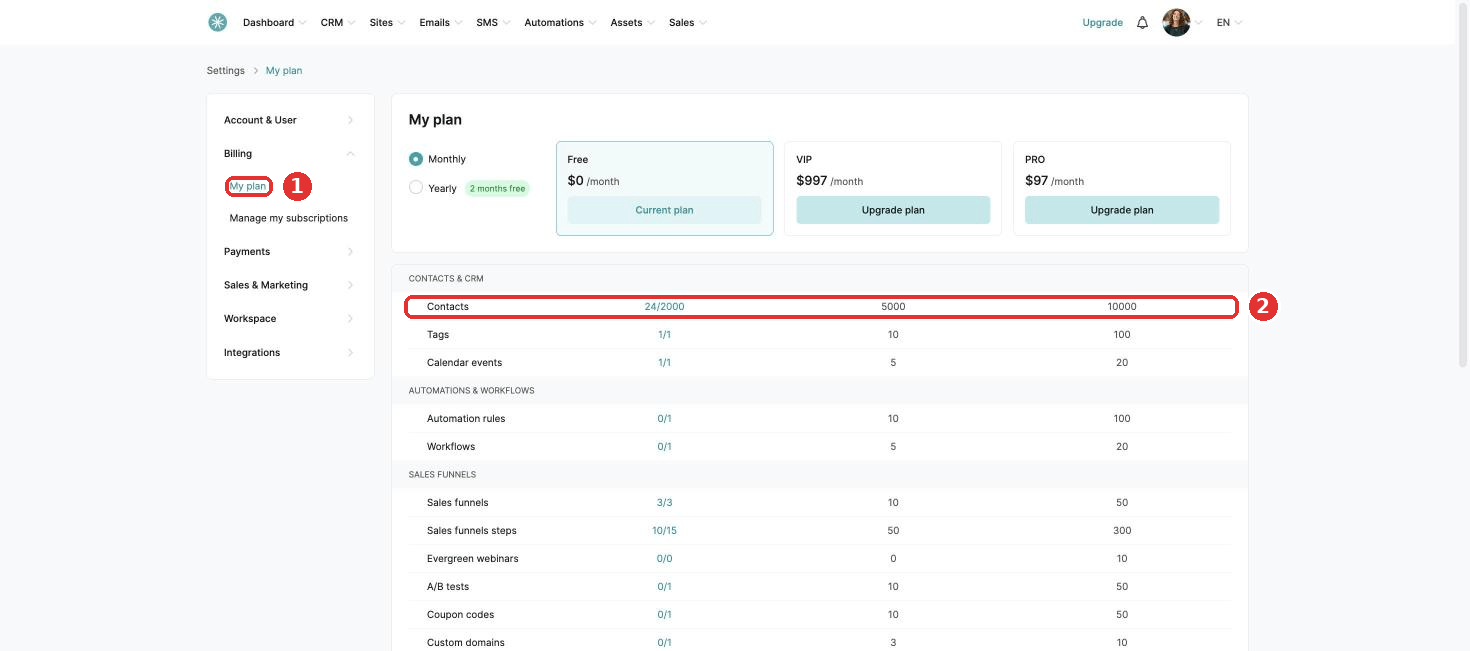
To check your plan and its limits, click your profile picture, then Settings, then Billing, then My plan. Your usage shows next to each limit, for example 23/2000 contacts.
2. Before the restriction: the warning period
When you go over a limit:
- You receive three warning emails, one a day.
- An alert shows on your dashboard.
During these days you can avoid the restriction by removing what is over the limit:
- Features: go to Settings, then Billing, then My plan. Items over the limit show in red in the summary table.
- Contacts: clean your list. See How to manually clean your email list. No inactive contacts? Delete contacts by other criteria. See How to delete multiple contacts.
Did this answer your question?