
What is two-factor authentication (2FA), and how can I disable it?
Two-factor authentication (2FA) adds an extra security check when you log in. Even if someone gets your password, they cannot get into your account without the second code.
When 2FA is on, a code is sent to your account email each time you log in. Enter it to finish logging in.
Turn 2FA on or off
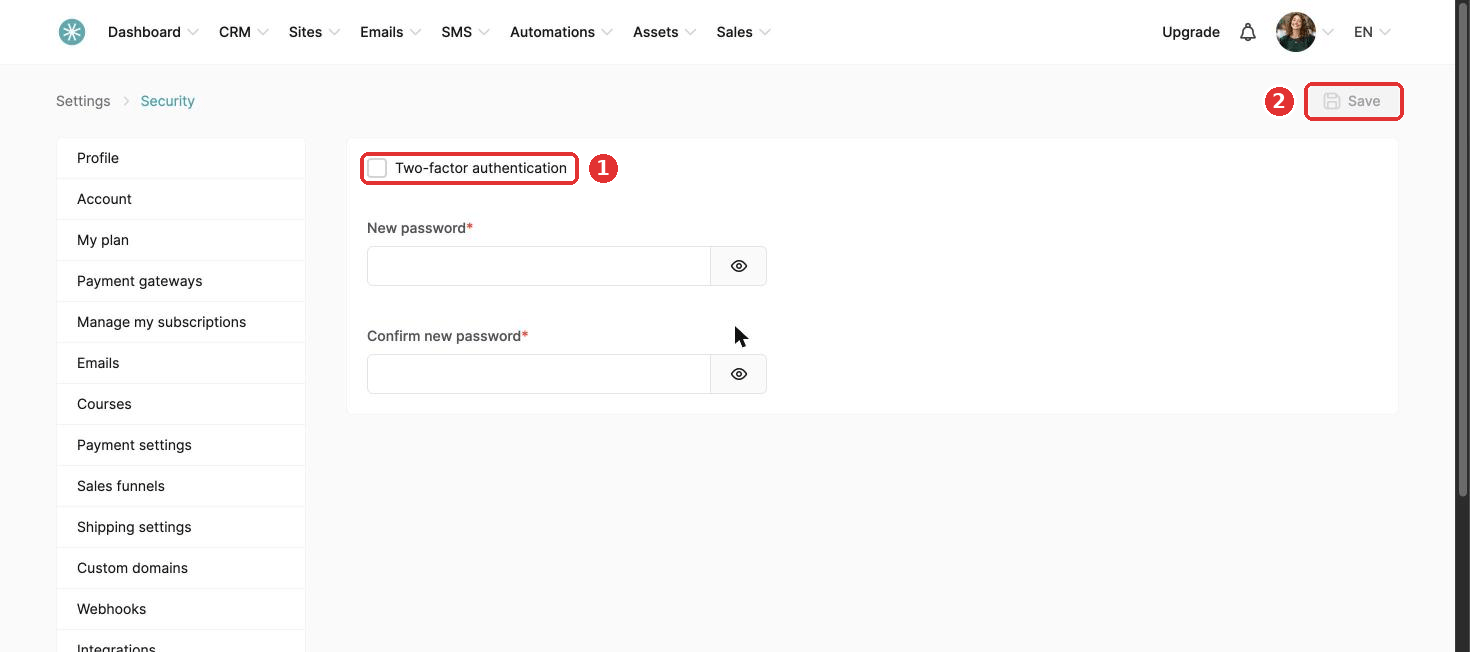
Click your profile picture, then Settings, then Account & User, then Security.
- Tick Two-factor authentication to turn it on, or untick it to turn it off.
- Click Save.
Locked out and cannot turn it off? Contact SleepPRO™ support.
Did this answer your question?