
How to add a profile picture to your SleepPRO™ account
Your profile picture shows on your account and is used as your photo in places such as your booking calendar. Here is how to add it.
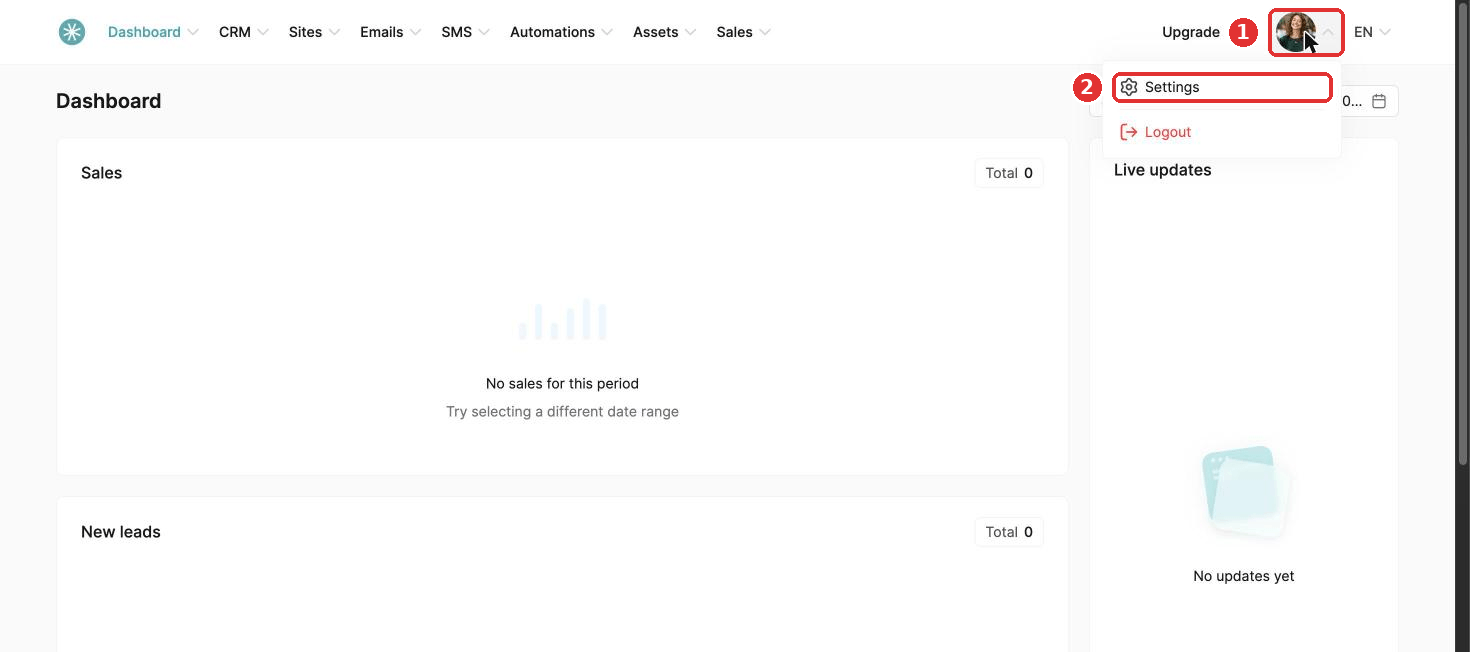
- Click your profile picture at the top right.
- Click Settings.
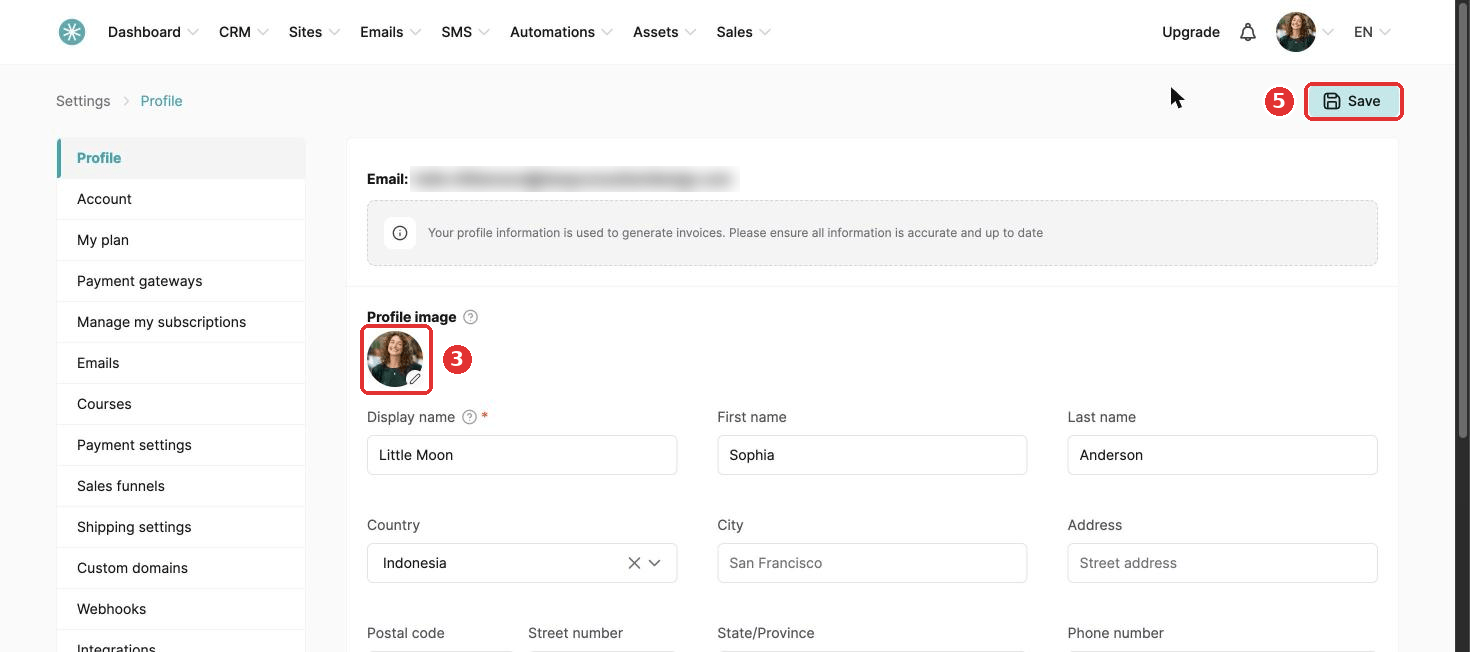
- On the Profile page, click the pen icon on your picture.
- Choose an image or upload a new one, and click Insert.
- Click Save at the top right. A message confirms your change.
Did this answer your question?