
How to delete bounced contacts
A bounced contact is an email address SleepPRO™ could not deliver to. Removing these protects your sender reputation.
- In the CRM tab, click Contacts.
- In the filter panel on the left, tick Contact state and choose Bounced. Only bounced contacts now show.
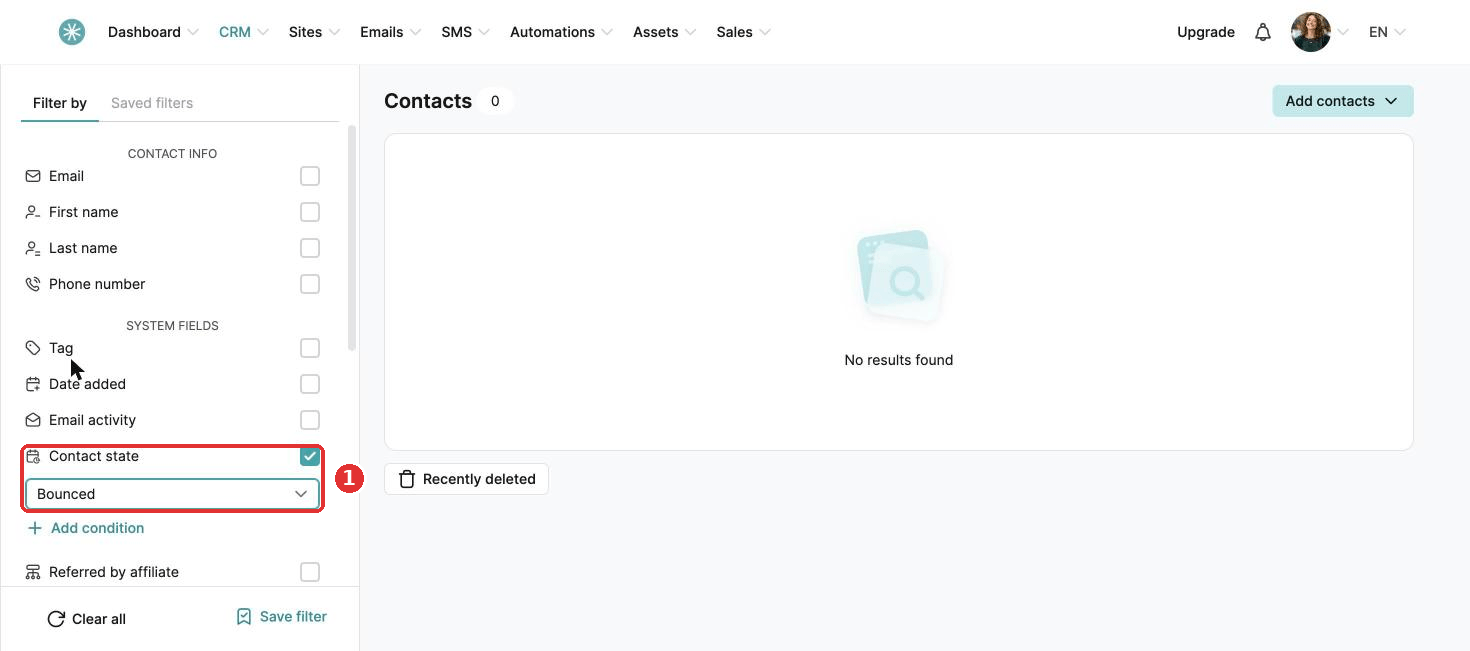
- Tick the box at the top of the list to select them all, then click Delete in the bar at the bottom.
- Click Confirm.
Before you delete, make sure these addresses are truly unusable (a hard bounce) and you will not try to reach these parents again. This way you never lose a good contact by mistake.
A clean list means fewer bounces, a better sender reputation and more emails landing in inboxes.
Did this answer your question?