
How to add a contact manually
Met a parent at a baby class who asked to join your newsletter? Here is how to add them yourself.
Only add someone who has clearly agreed to hear from you, especially if you plan to send emails. This keeps you within the law.
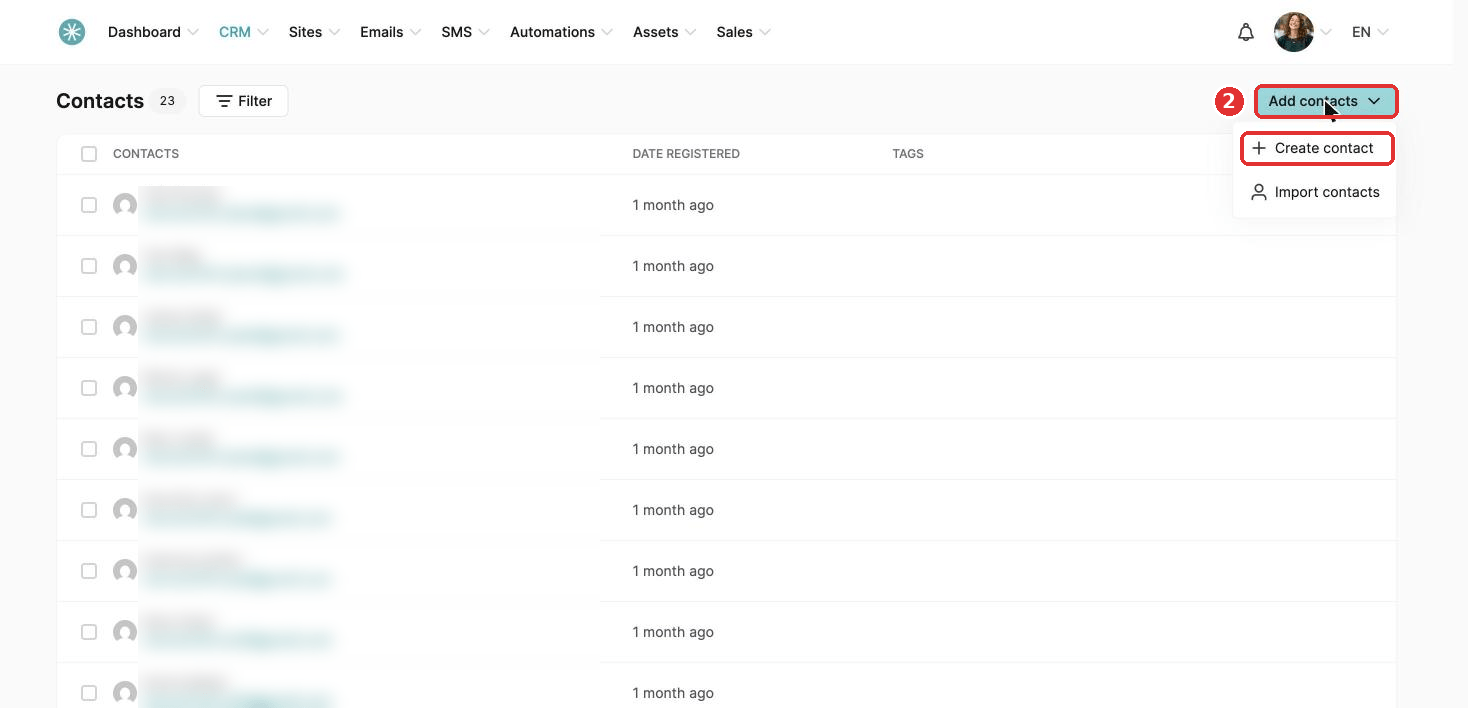
- In the CRM tab, click Contacts.
- Click Add contacts, then Create contact.
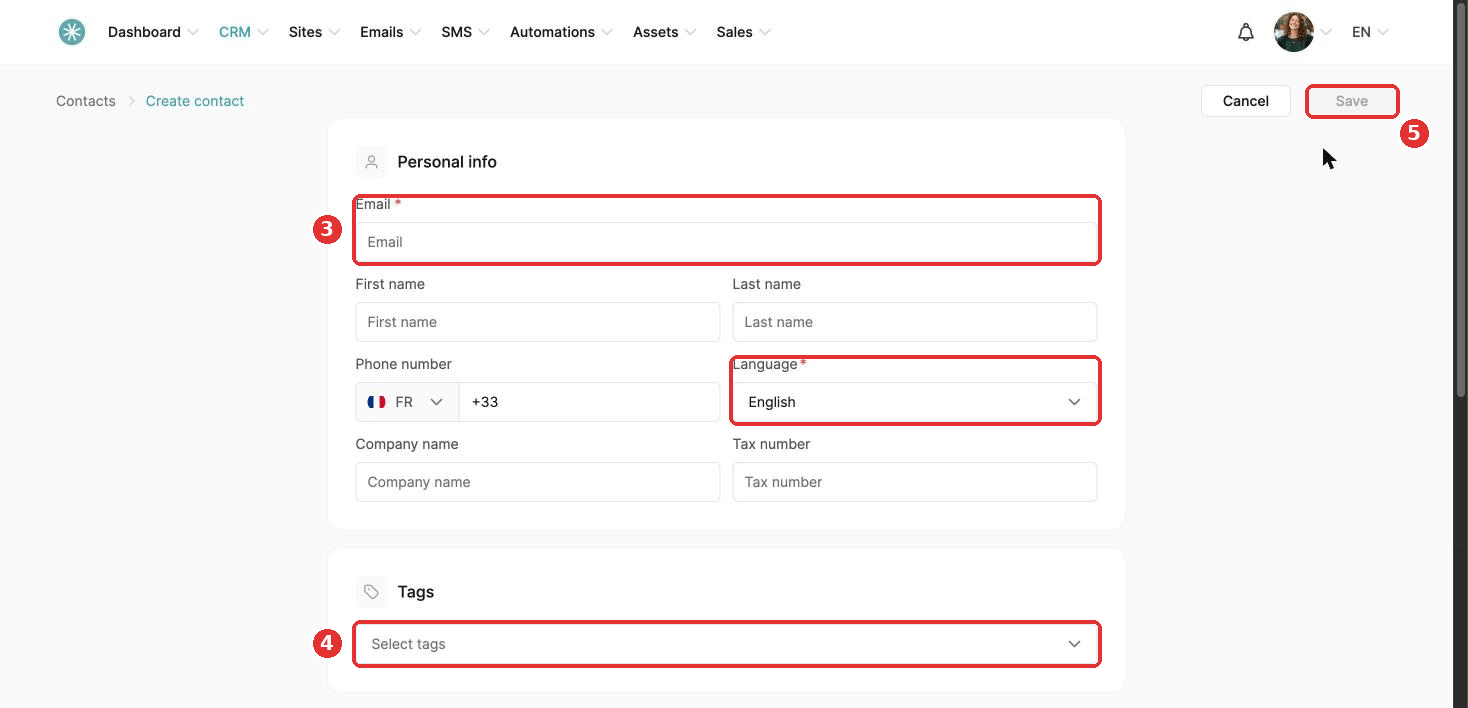
- Fill in the required fields: Email and Language.
- Add a tag if you like.
- Click Save.
Once added, you can organize the contact with tags and include them in your newsletters.
Did this answer your question?