
How to send a test email
A test email shows you exactly how your email looks in an inbox before parents see it. You can test any newsletter or campaign email.
Set your test address
- Click your profile picture, then Settings, then Account & User, then Emails.
- Scroll to Testing and enter the address for your test emails.
Confirm this address before you can receive tests. See How to confirm your email sender address.
Test a newsletter
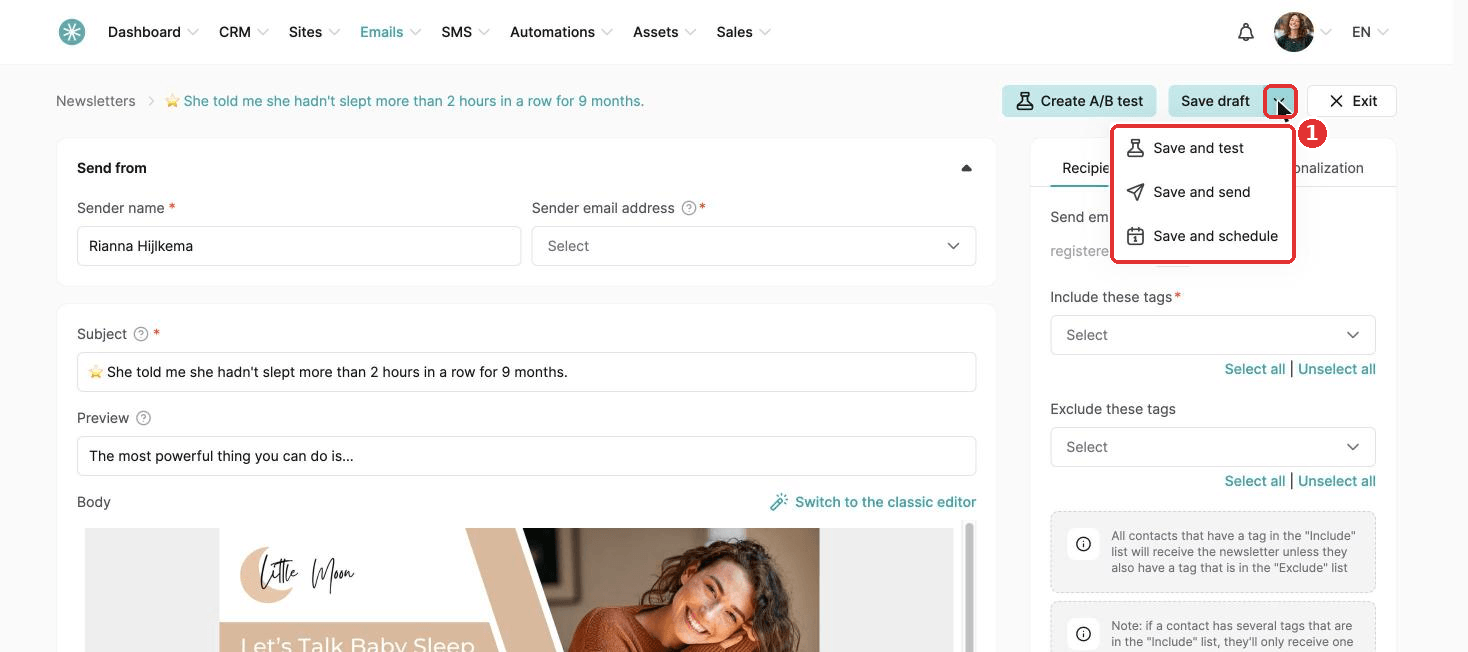
Open the newsletter, click the arrow next to Save draft, then Save and test.
Test a campaign email
Open the email in your campaign, click the arrow next to Save draft, then Save and test.
Test emails are not available for emails created inside automation rules or workflows.
Use a test address different from your sender address, to avoid deliverability problems.
Variables, such as first name, stay empty in test emails. To see them filled in, send a real email to yourself.
Did this answer your question?