
How to manually add a student to a course bundle
Here is how to add a student to a course bundle yourself.
- Go to Assets, then Courses.
- Open the Students section and click the student's email address.
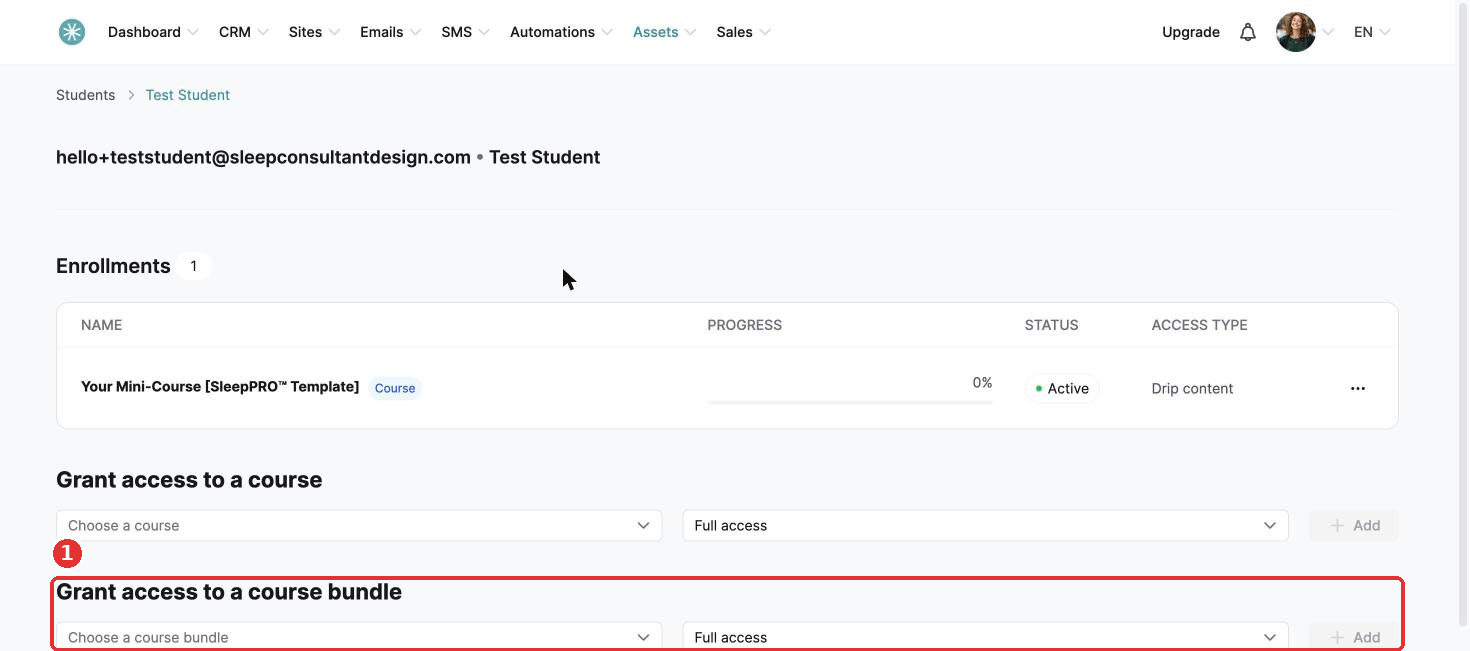
- Scroll to Grant access to a course bundle.
- Choose the bundle and the access type, and click Add.
Did this answer your question?