
How to create a funnel
A funnel is a series of pages a parent moves through, for example from your free nap guide sign-up to a thank you page, or from your sales page to checkout.
You do not need to build a funnel from scratch. You received links to ready-made funnel templates in SleepPRO™. Start from those.
Add a funnel template to your account
- Log in to SleepPRO™.
- Open the funnel template link you received.
- A copy of the funnel is added to your account. Find it under Sites, then Sales funnels.
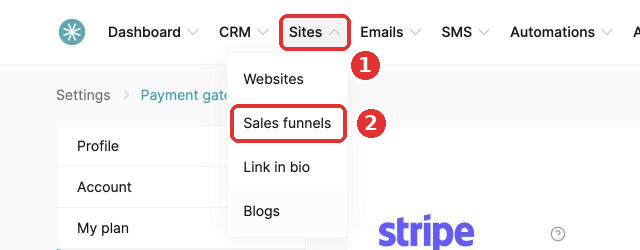
- Open the funnel, click a step and click Edit page to make it yours.
Each template already has the pages it needs, such as an opt-in page and a thank you page, or an order form and a thank you page.
Can't find your template links? Contact SleepPRO™ support.
Did this answer your question?