
How to create a course bundle
A bundle groups several courses into one offer, for example your newborn course and your nap course together.
Create a bundle
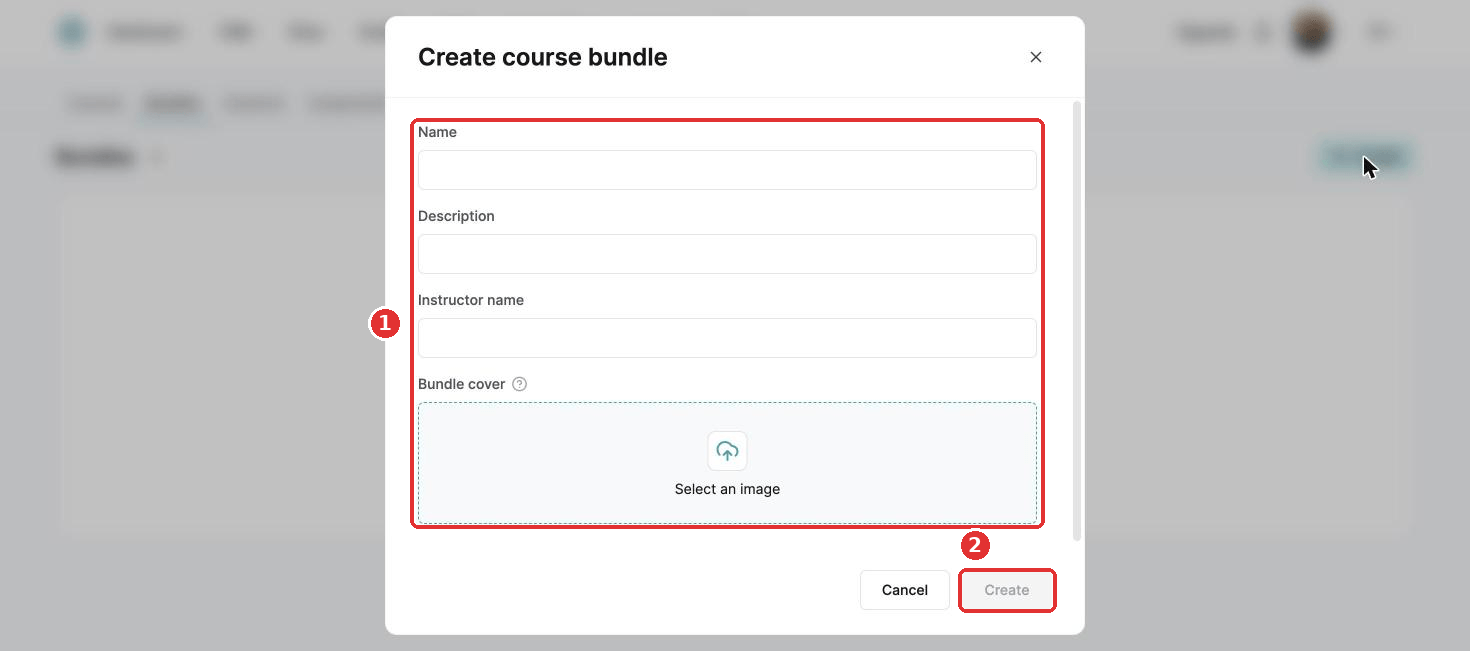
- In the menu, go to Assets, Courses, then Bundles.
- Click Create.
- Add a name, description, instructor name and bundle cover.
- Click Create.
- Click your new bundle, then Add a course.
- Choose the courses and click Save.
Delay the start of a course
For each course in the bundle, you can set a Delay before start, so it opens later. Enter the delay and click Save.
This only applies to bundles sold with drip content access.
With drip content, the delays add up. Content opens after the course's own lecture delays plus the bundle's delay before start.
Did this answer your question?