
How to charge VAT to your customers
Here is how to charge VAT on all your offers, and how to switch it off for a single funnel.
Charge VAT on all payment pages
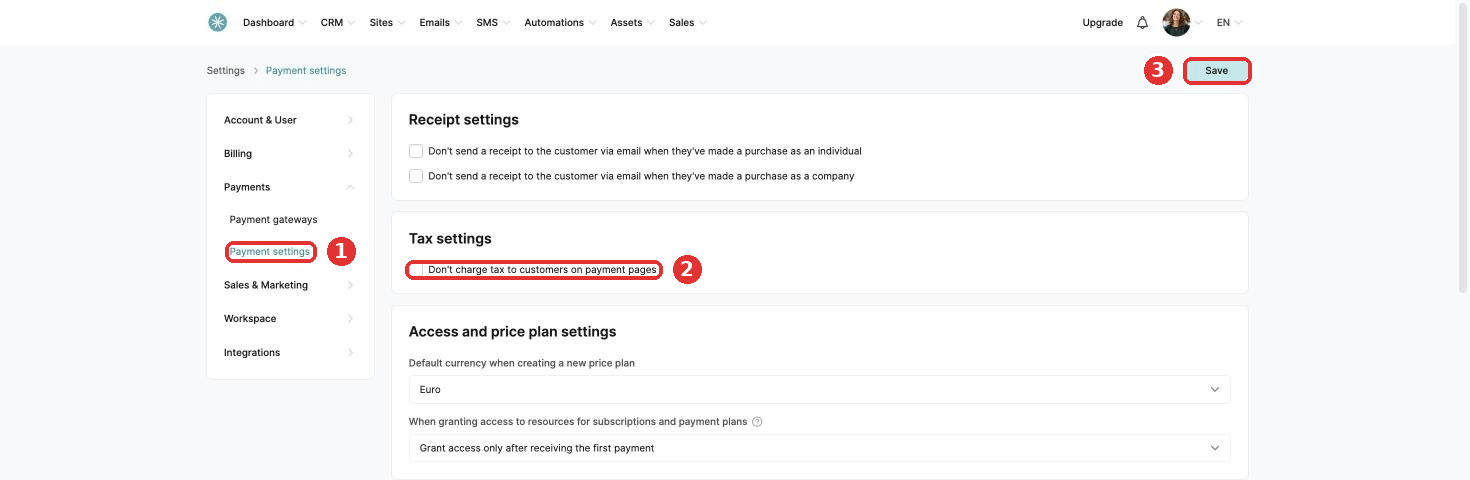
- Click your profile picture, then Settings, then Payments, then Payment settings.
- Untick Don't charge tax to customers on payment pages.
- Click Save at the top of the page.
Switch off VAT for one funnel
Useful for offers without VAT, or for selling to regions with different tax rules.
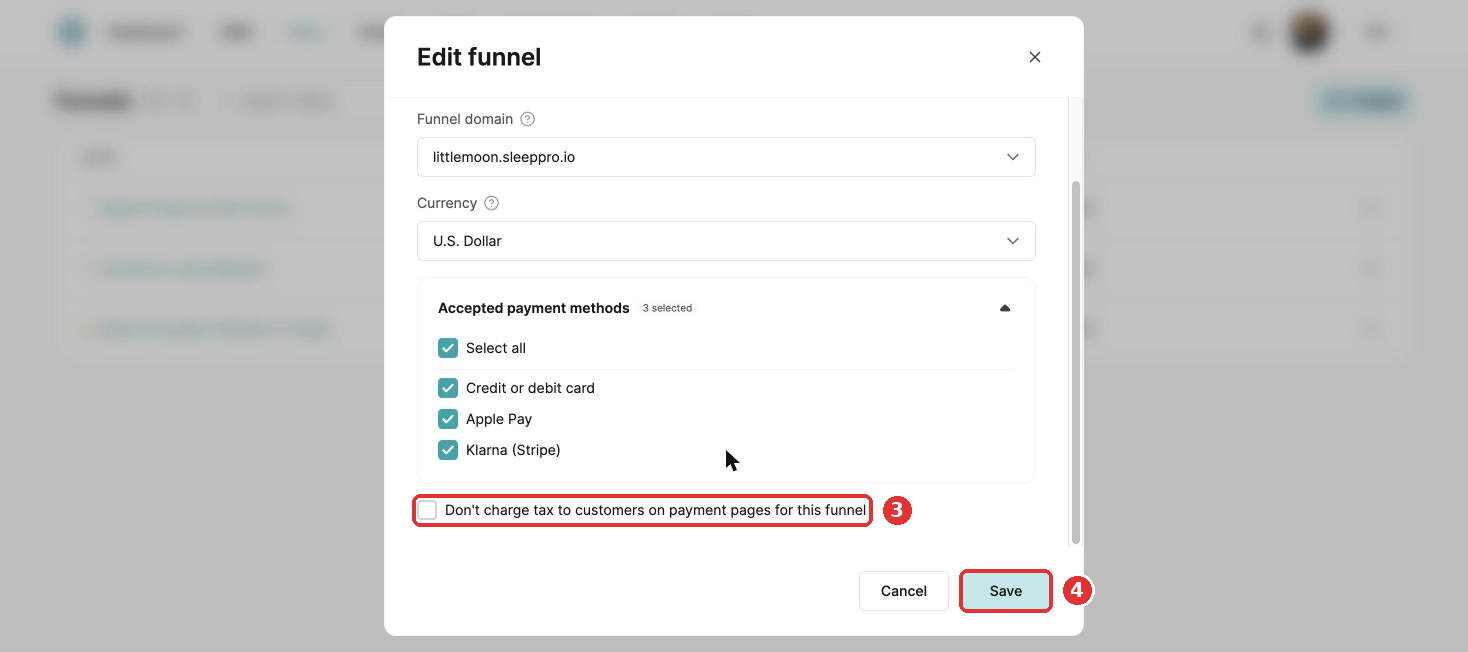
- Go to Sites, then Sales funnels.
- Click the three dots next to the funnel and choose Settings.
- Tick Don't charge tax to customers on payment pages for this funnel.
- Click Save.
Did this answer your question?