
How to change your SleepPRO™ subdomain
Your account comes with a free subdomain you can use before connecting your own domain. Here is how to change it.
- Click your profile picture, then Settings.
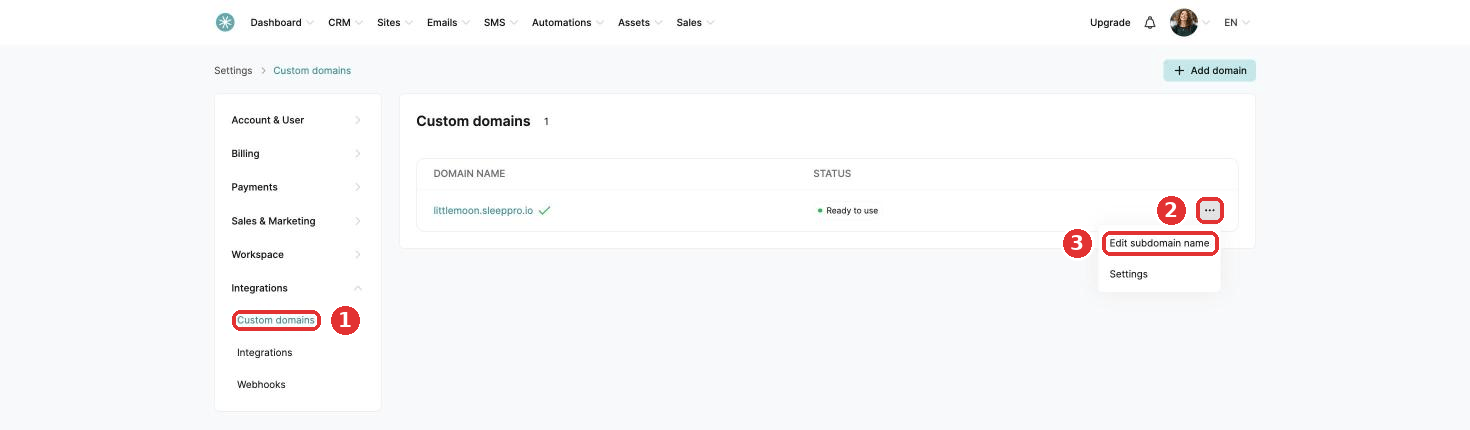
- Click Integrations, then Custom domains.
- Click the three dots, then Edit subdomain name.
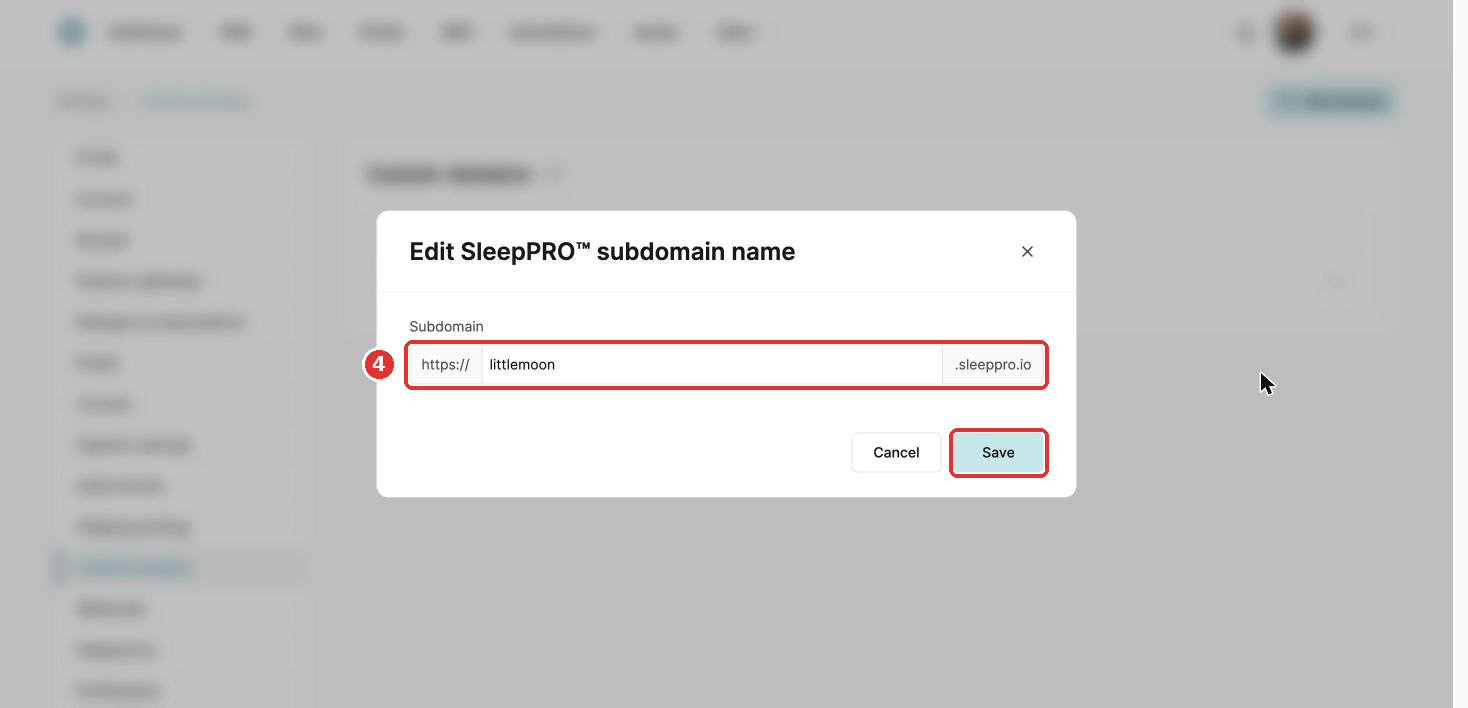
- Change the name, for example to your business name, and click Save.
Did this answer your question?