
How to change the favicon of your pages
The favicon is the tiny icon in the browser tab. Use your logo mark so your pages feel like yours.
You will need a favicon image, ideally 32x32 pixels.
- Click your profile picture, then Settings.
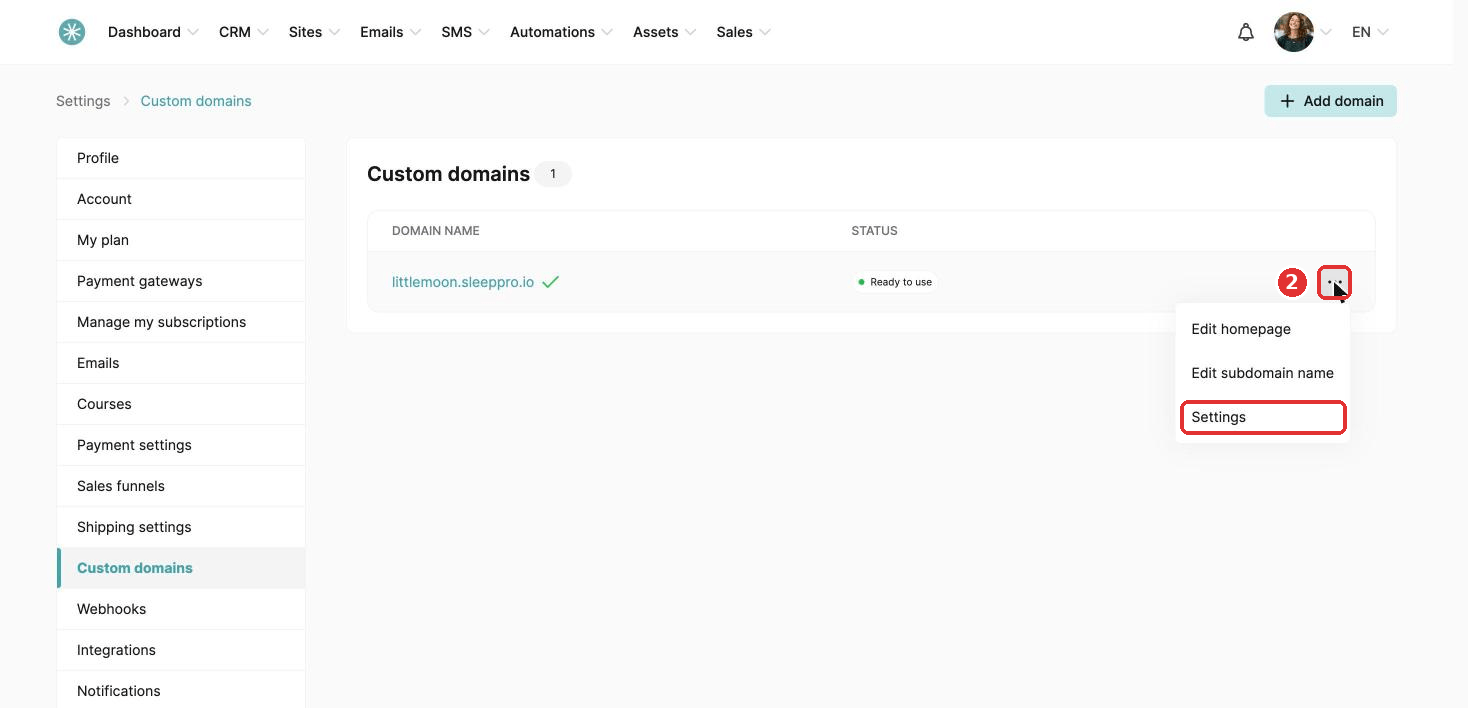
- Click Integrations, then Custom domains. Click the three dots next to your domain and choose Settings.
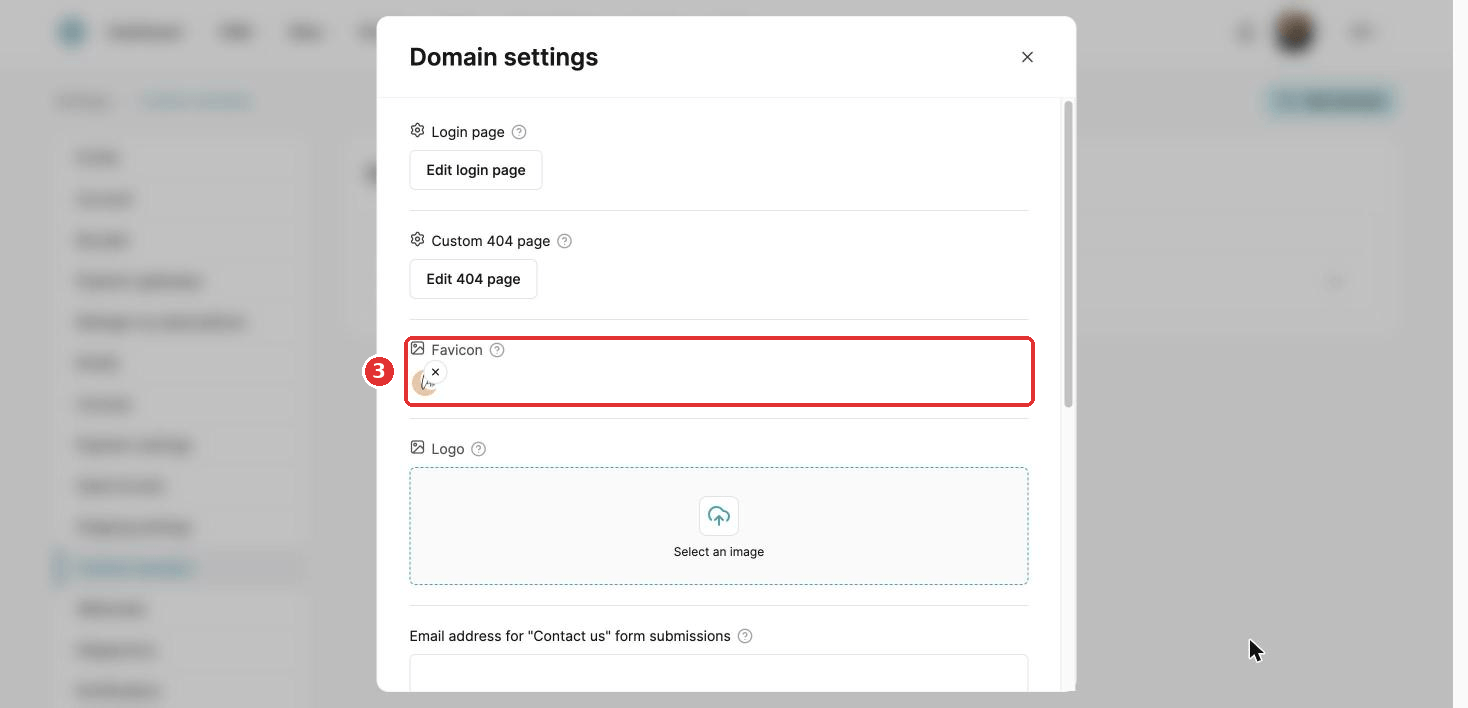
- Click Select an image and choose your image.
- Click Save.
Your favicon shows on your stores, funnels, blogs, courses and community pages.
Use PNG, JPG, JPEG or GIF.
Images can be up to 64 pixels wide.
Did this answer your question?