
How to change a page's URL path
A page address has two parts. In yoursleepbusiness.com/sleep-packages, yoursleepbusiness.com is the domain and /sleep-packages is the URL path. Here is how to change each part.
Change the URL path
- Go to Sales funnels and open the funnel.
- Select the page and type the new path in the URL path field.
It saves automatically.
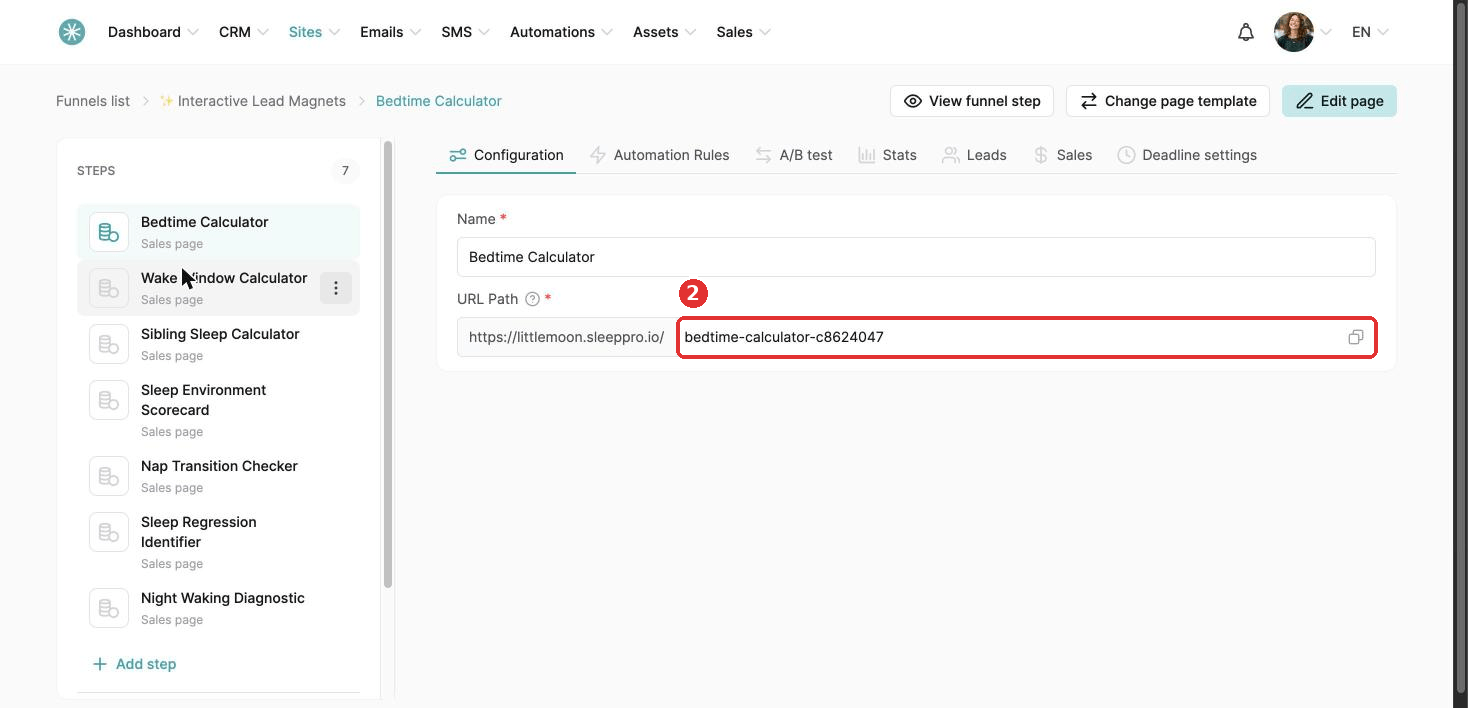
Page name changes also save automatically.
URL paths cannot contain capital letters.
Change the domain
The domain is set for the whole funnel, so every page in the funnel moves with it.
You will need a second domain or subdomain connected to SleepPRO™. See How to connect your domain to SleepPRO™.
- Go to Sites, then Sales funnels.
- Click the three dots next to the funnel and choose Settings.
- Choose the new domain.
- Click Save.
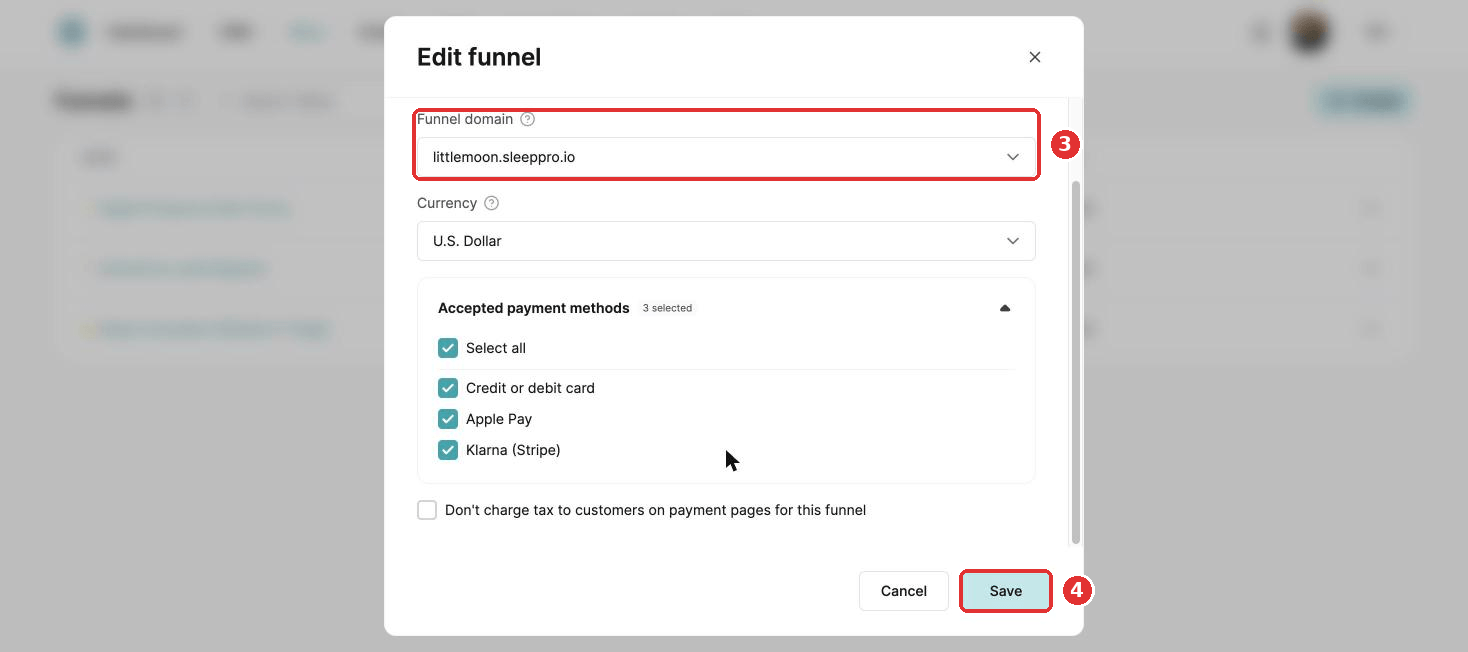
For a website, it works the same way: in your websites list, click the three dots next to the website and choose Settings to change the domain.
Shared the old address already? Update your links, for example in your Instagram bio and emails. The old address stops working once you change the domain.
Did this answer your question?