
How to access your student dashboard
Bought or joined a course yourself? Here is where to find it.
- Log in to your SleepPRO™ account.
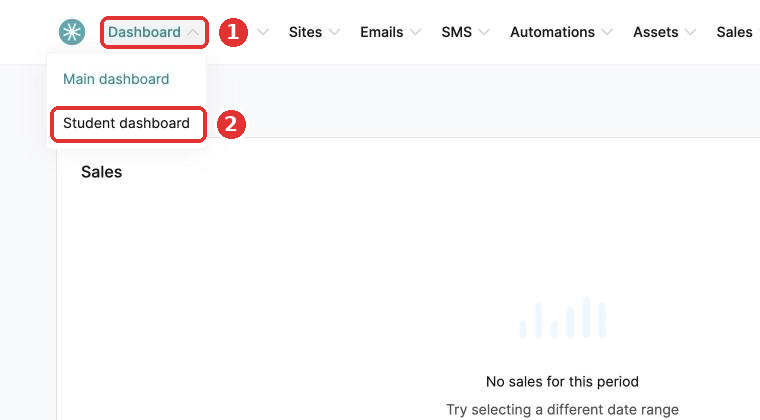
- Hover over the Dashboard tab at the top of the page and click Student dashboard.
Every course you are enrolled in shows here.
Did this answer your question?