
How to offer MB WAY payments in SleepPRO™
MB WAY is Portugal's most popular mobile wallet. Customers enter their phone number at checkout and approve the payment in the MB WAY app, no card needed.
You will need Stripe connected to SleepPRO™.
1. Turn on MB WAY in Stripe
- In Stripe, click Settings, then Payments, then Payment methods.
- Scroll to MB WAY, click Disabled, then Enable.
Currency and limits:
- Currency: EUR only.
- Payment limits: €0.50 to €5,000 per payment.
- Subscriptions: yes, including payment plans and free trials.
- Order bumps and upsells: yes. Each item is approved separately in the app.
2. Turn on MB WAY in your funnel
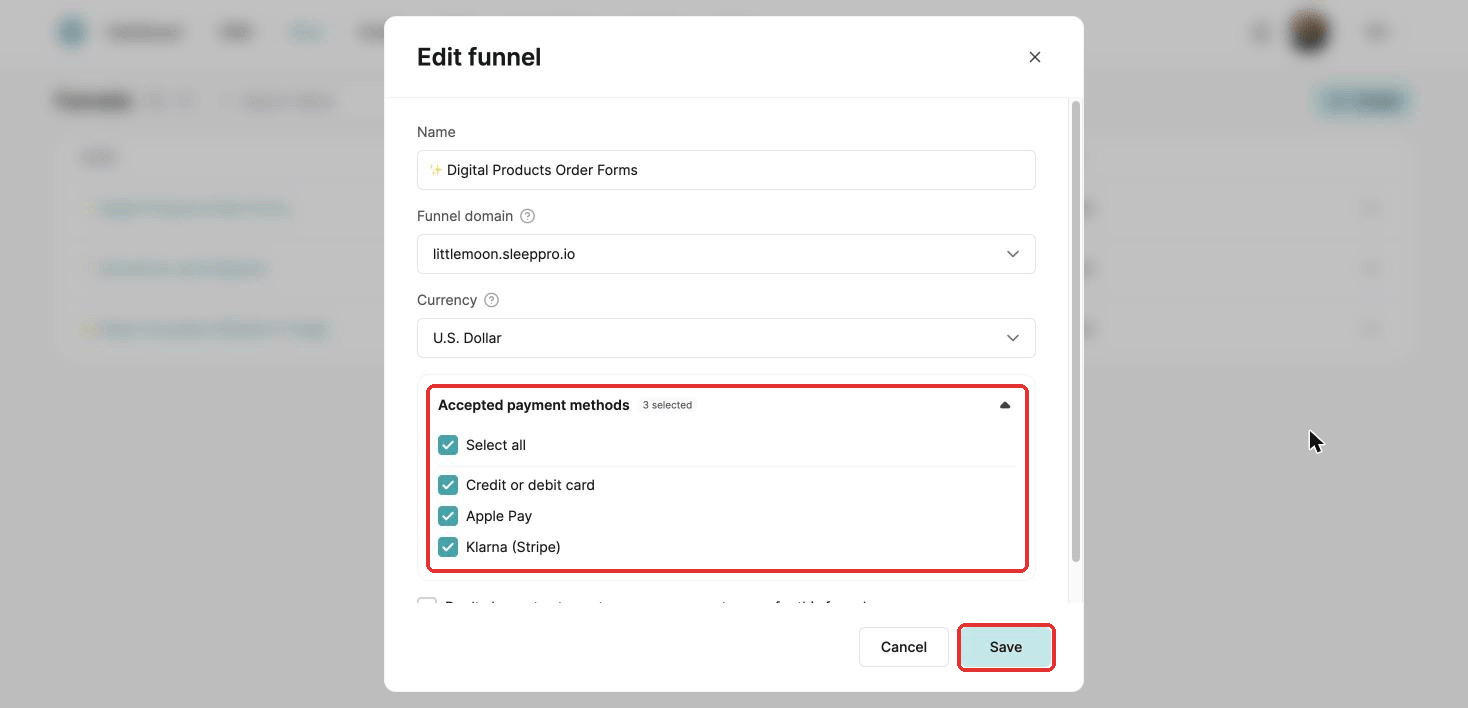
Open your funnel settings: go to Sites, then Sales funnels. Click the three dots next to your funnel and choose Settings. Under Accepted payment methods, tick MB WAY (Stripe) and click Save. It now shows on your order form.
MB WAY does not charge automatically for renewals. On each billing date, the customer receives a notification in the MB WAY app. If they do not approve it, they get an email with a link to pay.
Did this answer your question?