
How to offer iDEAL and Bancontact payments in SleepPRO™
iDEAL is a favourite with Dutch parents, and Bancontact with Belgian parents. Here is how to offer both, through Stripe.
You will need a Stripe account with iDEAL and Bancontact turned on.
1. Set up
In your Stripe account, make sure:
- iDEAL and Bancontact are turned on.
- SEPA Direct Debit is turned on.
- Stripe is connected to SleepPRO™.
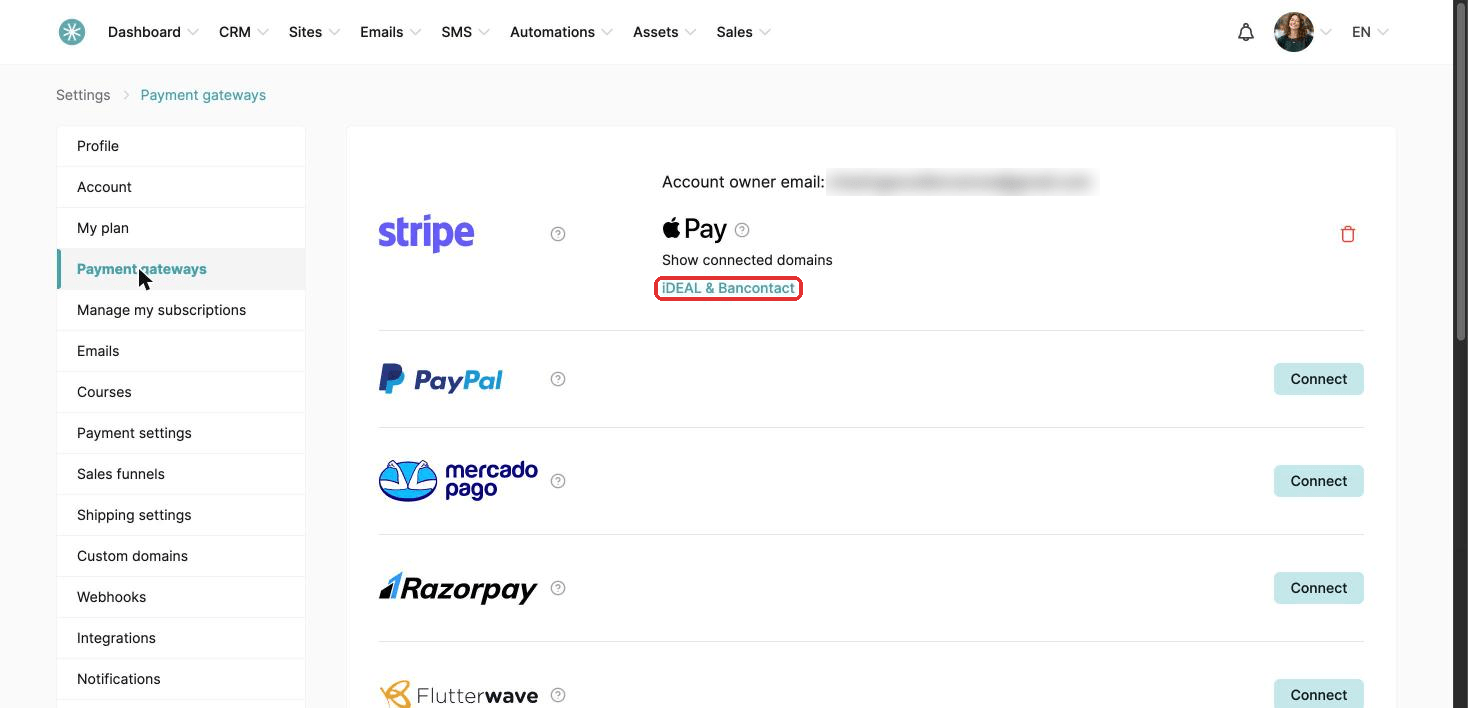
Once Stripe is connected, go to Settings, then Payments, then Payment gateways. Click the info icon (i) on the Stripe card. iDEAL & Bancontact shows there.
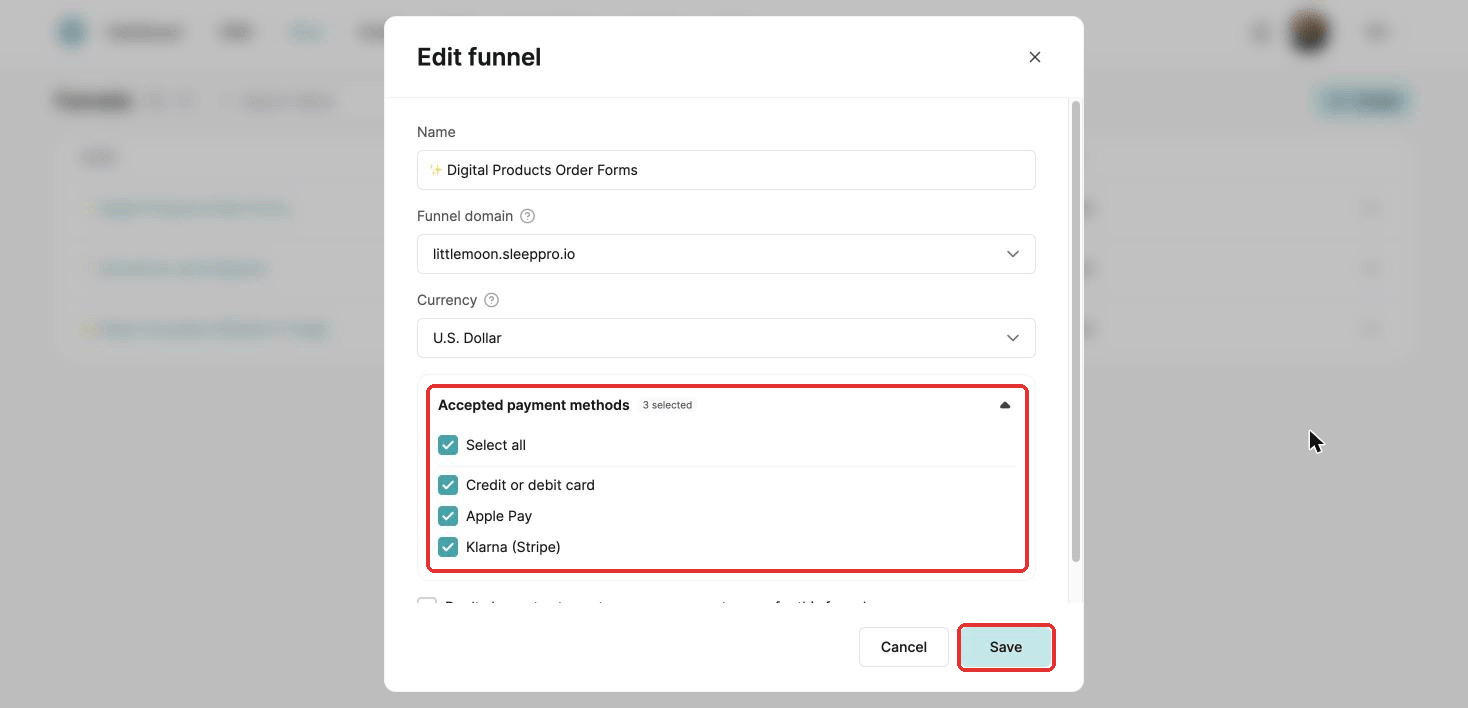
iDEAL and Bancontact then appear in your funnel settings, under Accepted payment methods. Go to Sites, then Sales funnels. Click the three dots next to your funnel and choose Settings. Tick both and click Save. They now show on your order form.
2. Currencies and restrictions
iDEAL:
- Buyers: Netherlands.
- Subscriptions: yes, through a SEPA mandate.
- Currency: EUR only.
Bancontact:
- Buyers: Belgium.
- Subscriptions: yes, through a SEPA mandate.
- Currency: EUR only.
For Bancontact, your order form pages need the Email and First name fields.
Did this answer your question?