
How to keep a section always visible on your page
A sticky section stays on screen while the parent scrolls. It keeps your menu, an announcement, your "Book a call" button or your contact details in view at all times.
- Open the page editor and click the section.
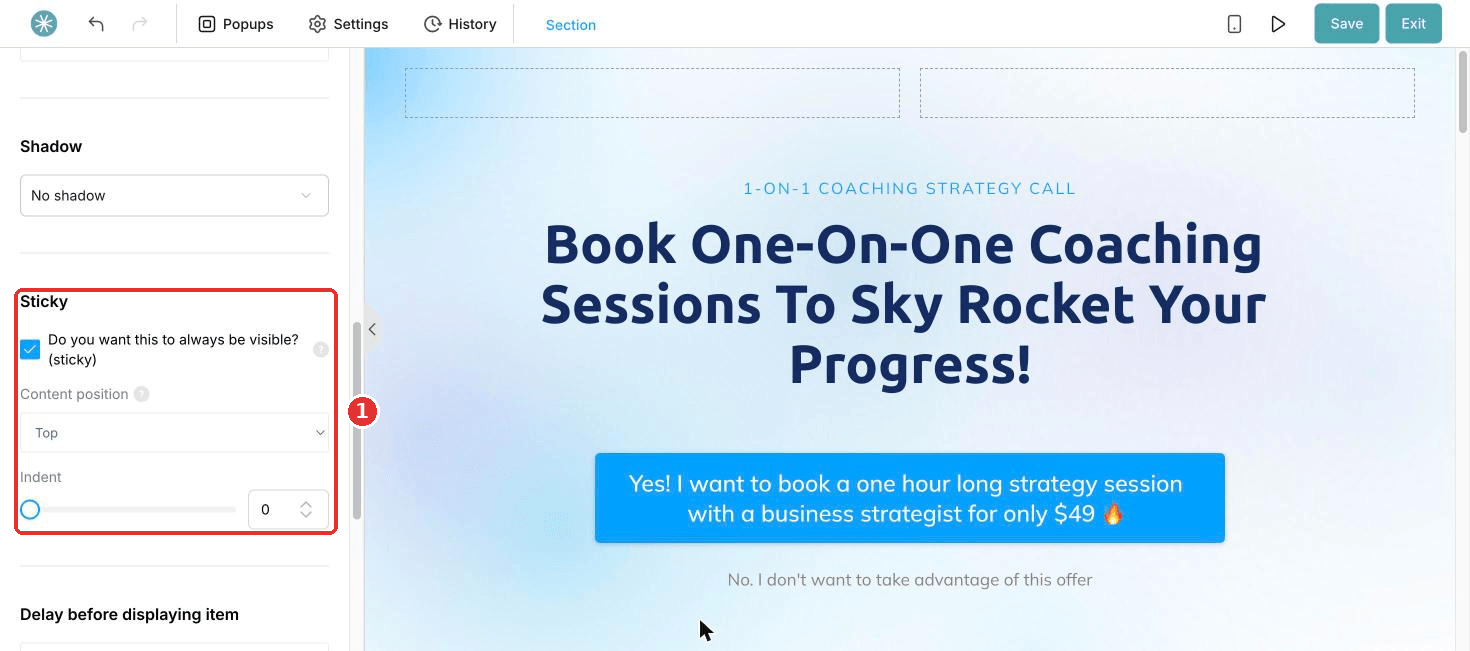
- In the settings panel, scroll to Sticky.
- Tick Do you want this to always be visible? (sticky).
- Choose the Content position: top or bottom of the screen.
- Use Indent to set the space between the section and the edge of the screen.
Sticky sections work on funnel and blog pages.
Did this answer your question?